Ask an AI about this page
 ChatGPT
 Claude
 Perplexity
 Google AI Mode
 Microsoft Copilot
 Grok
 Mistral Le Chat
Share the list signup page (public signup page)
Each list in Mail Niaga has a public signup page (Public signup page). Share the link of that page in your Instagram bio, your WhatsApp status, an email or a poster. People can subscribe to your list even when you do not have a website.
Three ways to collect subscribers
Section titled “Three ways to collect subscribers”Mail Niaga has three ways for visitors to subscribe to your list. Choose the way that fits the place where you want to collect subscribers:
| Way | Where | Use it when |
|---|---|---|
| Popup form | Audience → Forms | You have a website and you want a form to show on top of a page. See Create a popup form. |
| Embedded form | Forms / Pages → Embedded form in the list | You want to paste the HTML code of a form directly into a page of your website. |
| Public signup page | Forms / Pages → Public signup page in the list | You do not have a website, or you want one link to share. |
Get the link of the signup page
Section titled “Get the link of the signup page”Do these steps to copy the link:
-
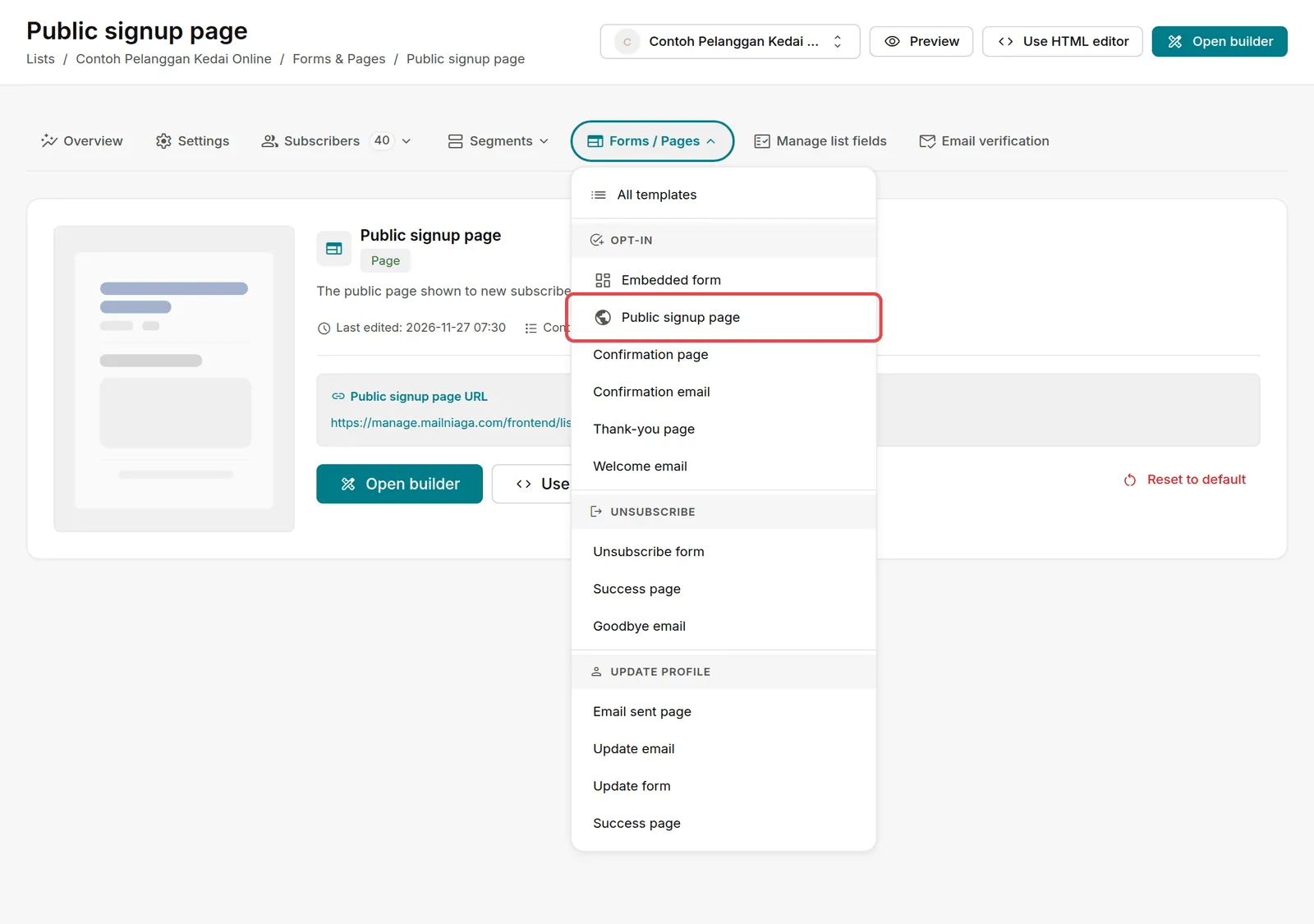
Go to Audience → Lists and open your list.
-
Click Forms / Pages → Public signup page.
-
Copy the link in Public signup page URL.
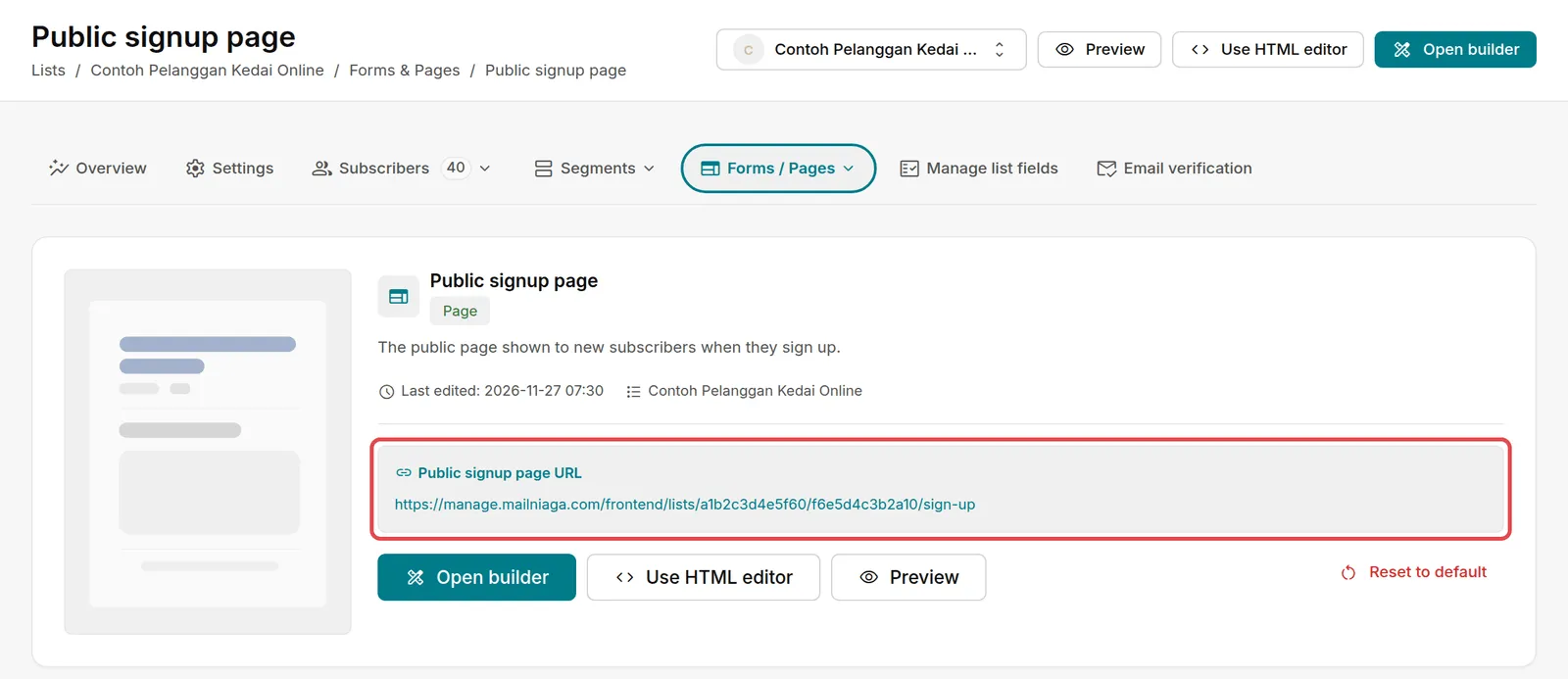
Each list has its own link. Make sure that you open the correct list before you copy the link.
What visitors see
Section titled “What visitors see”The signup page shows the name of your list and the list fields, such as Email, First name and Last name. It also shows a terms consent checkbox and the Subscribe button. Click Preview to see this page before you share the link.
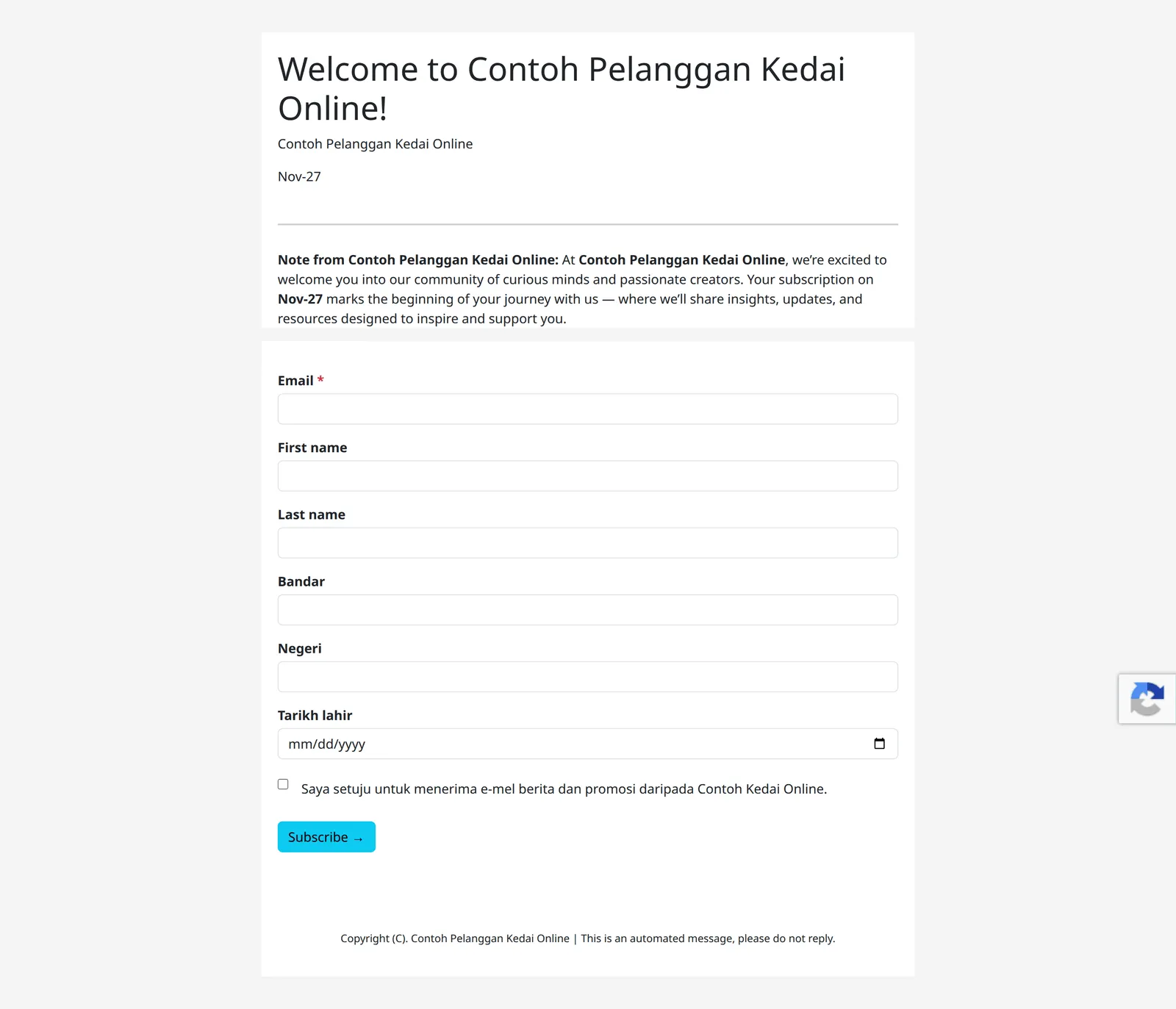
By default, the text on this page is in English. Change the text and the appearance of the page to match your brand.
Change the appearance of the page
Section titled “Change the appearance of the page”Do these steps to change the signup page:
- Open Forms / Pages → Public signup page in your list.
- Click Open builder to change it with the builder, or Use HTML editor to paste your own HTML.
- Click Preview to check the result.
For the builder, the HTML editor and Reset to default, see Change the list subscription pages and emails.
This advice helps you get more from the signup page:
- Change the default text before you share the link. The default page has sample text in English. This can confuse visitors.
- Use one list for one purpose. The signup link connects to one list. A special list for one campaign or event is easier to manage.
Common issues
How can people subscribe to my list if I do not have a website?
Share the Public signup page URL of your list. The link opens a signup page that Mail Niaga supplies. You do not need your own website.
Where are the old "Sign Up Form" and "Sign Up Form URL" menus?
The menu changed. Open your list, then click Forms / Pages → Public signup page. The link of the page is in Public signup page URL.
Can I change the appearance of the signup page?
Yes. Click Open builder to change it with the builder, or Use HTML editor to paste your own HTML. See Change the list subscription pages and emails.
Was this article helpful?
Thanks for your feedback.
Sorry, this page did not help. Chat on Messenger and we will help you fix it.