Ask an AI about this page
 ChatGPT
 Claude
 Perplexity
 Google AI Mode
 Microsoft Copilot
 Grok
 Mistral Le Chat
Copy a campaign (Replicate)
Replicate makes a copy of a campaign as a new draft. Use it when you want to send an email that is almost the same as an old campaign, for example a monthly newsletter. You do not have to prepare everything from the start.
Copy a campaign
Section titled “Copy a campaign”You can copy a draft campaign or a sent campaign.
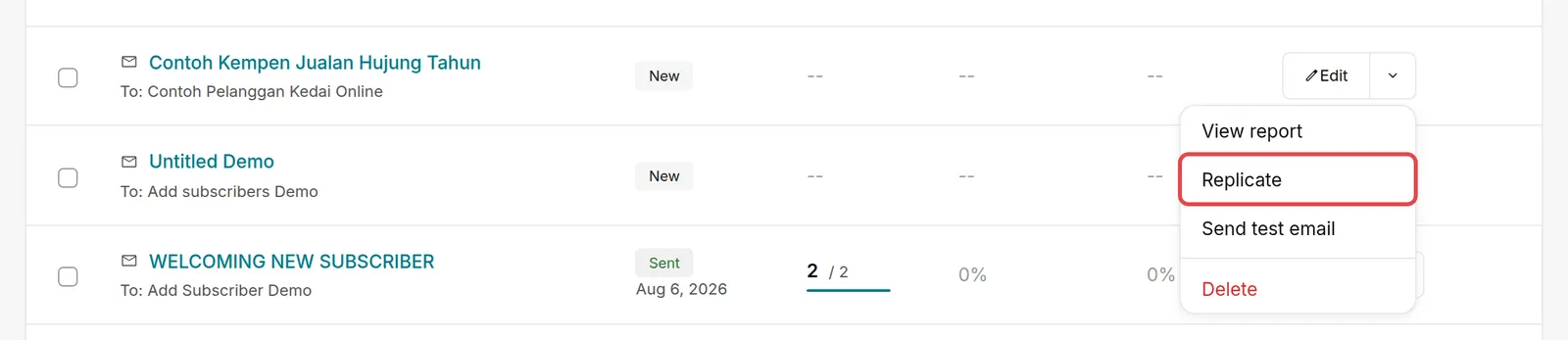
- Click Campaigns → Email.
- On the row of the campaign, click the arrow next to the Edit, View or A/B Setup button.
- Click Replicate.
- In the Replicate campaign popup, change the name in Campaign name. The Mail Niaga console fills in “Copy of” and the name of the original campaign.
- Click Copy campaign.
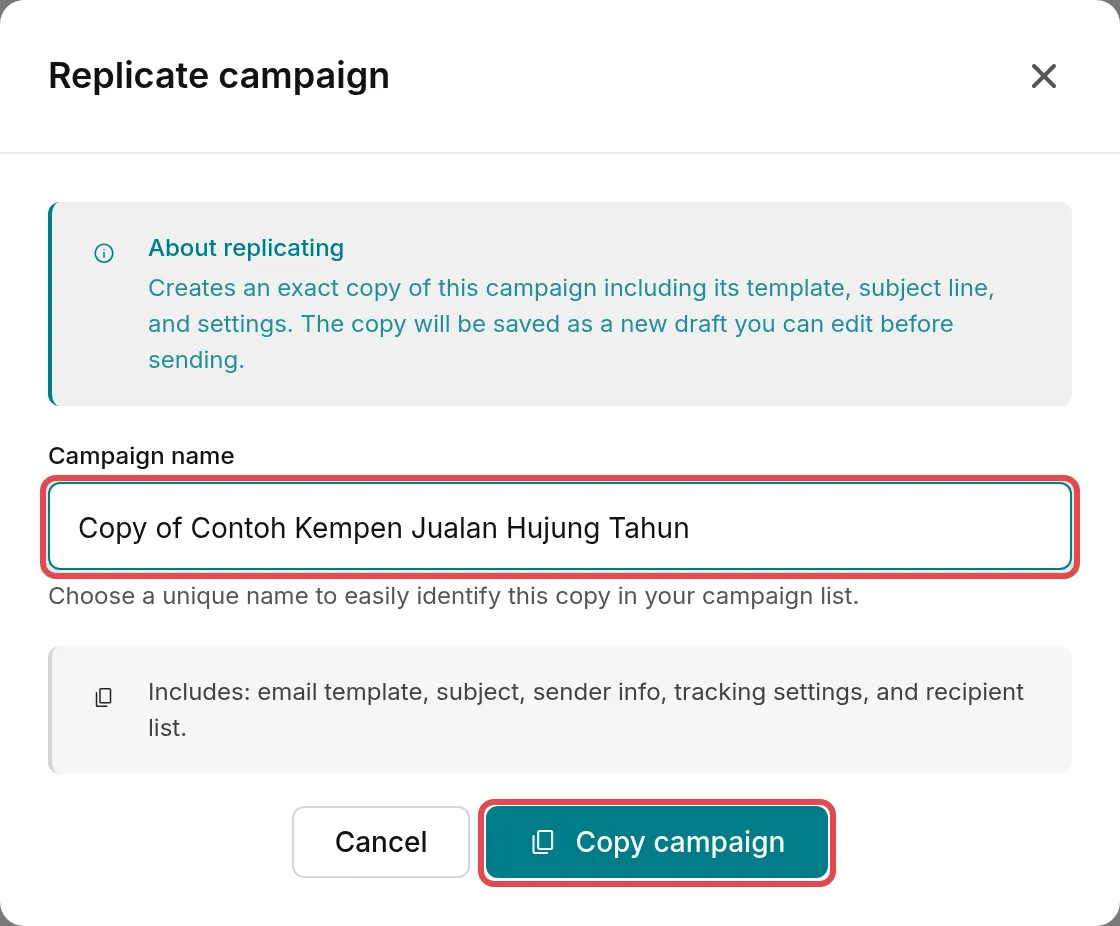
The popup tells you that the copy is saved as a new draft, and that you can change it before you send it. The new copy shows in the campaign list with the status New.
What is copied
Section titled “What is copied”The Replicate campaign popup tells you that the copy has the email template, the subject, the sender details, the tracking settings and the recipient lists. This is the full list:
- the email template and the preheader
- the subject, the sender name, the sender email and the reply-to
- the open and click tracking settings, and DKIM
- the recipient lists and segments, with the excluded lists
- the sending hours
The statistics, the sending logs and the send date of the original campaign are not copied. The copy possibly does not include the attachments and the webhooks of the campaign. Check both before you send the campaign.
Change the copy before you send it
Section titled “Change the copy before you send it”The copy is a normal draft. Do these steps before you launch it:
- Click Edit on the row of the copy.
- Check the recipient lists in the Recipients step.
- Change the subject in the Setup step. Then subscribers do not confuse it with the old email.
- Update the email content in the Template step.
- Choose the send time in the Schedule step. Then check each row in the Confirm step before you click Launch Campaign.
This advice helps you send a correct copy:
- Give the copy a clear name. For example, “December 2026 newsletter”. A clear name makes the copy easy to find in the campaign list.
- Send a test email first. A test email helps you find old links and dates in the old content.
Common issues
Does the copy of a campaign send immediately?
No. The copy is saved as a new draft with the status New. The copy sends only when you open it and click Launch Campaign.
Why can I not copy a campaign?
Your plan has a limit on the number of campaigns. When you are at that limit, the console does not make the copy and shows a plan limit message. Delete old campaigns that you do not need, or change the plan.
Does the copy also get the report of the original campaign?
No. The copy starts with no statistics. The report of the original campaign stays on the original campaign.
Was this article helpful?
Thanks for your feedback.
Sorry, this page did not help. Chat on Messenger and we will help you fix it.