Ask an AI about this page
 ChatGPT
 Claude
 Perplexity
 Google AI Mode
 Microsoft Copilot
 Grok
 Mistral Le Chat
Unsubscribe page & goodbye email
Each Mail Niaga campaign has an unsubscribe link. When subscribers click that link, they see a page where they confirm that they want to unsubscribe. After they confirm, their status in that list changes to Unsubscribed. They do not receive campaigns from that list again.
What subscribers see
Section titled “What subscribers see”The unsubscribe page is a fixed Mail Niaga system page. This table gives what it shows:
| When | What shows |
|---|---|
| The subscriber clicks the unsubscribe link | The “Confirm unsubscribe” page with their email address and the Yes, unsubscribe me button. |
| The subscriber clicks Yes, unsubscribe me | “You have been unsubscribed” and “You will no longer receive messages from this sender.” |
| The subscriber unsubscribed before | “You are already unsubscribed!” |
A click on the link alone does not change the status of the subscriber. They must click the Yes, unsubscribe me button. Because of this, link scanners in email systems do not unsubscribe your subscribers by accident. The unsubscribe button in Gmail or Apple Mail unsubscribes the subscriber directly, without this page.
Emails after an unsubscribe
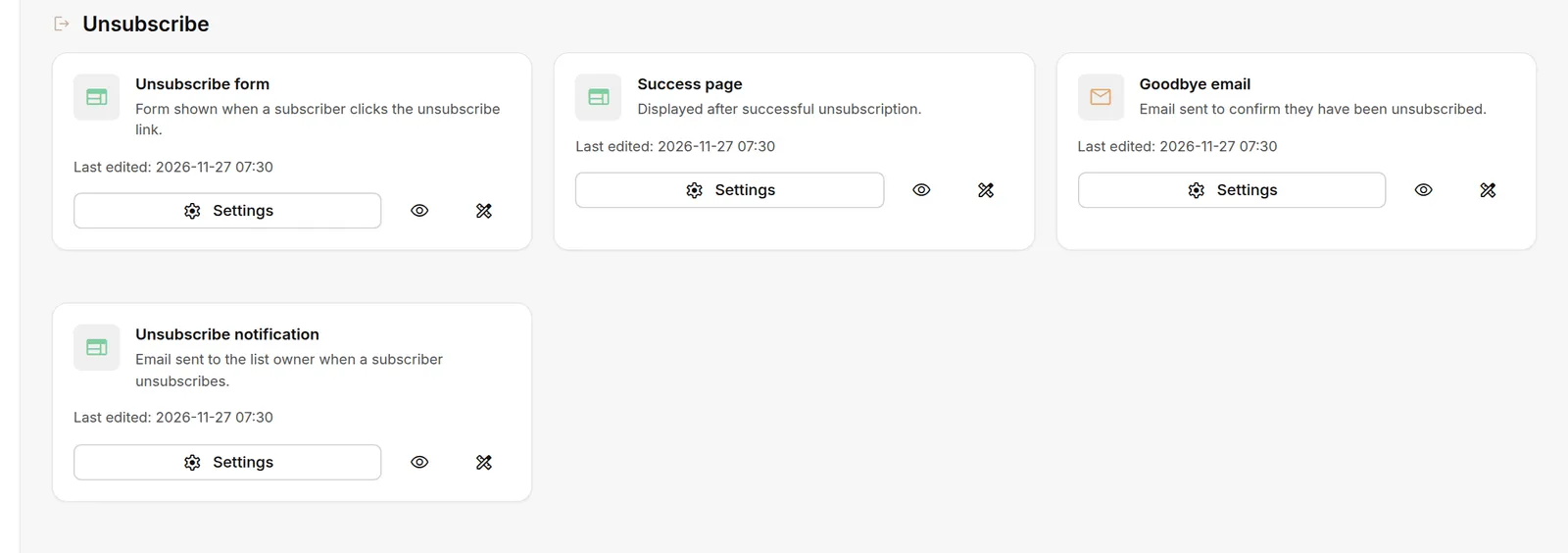
Section titled “Emails after an unsubscribe”Each list has two email templates for an unsubscribe. You can see both in the Unsubscribe group on the Forms / Pages → All templates page.
| Template | Who receives it |
|---|---|
| Goodbye email | The subscriber. The email confirms that they unsubscribed. |
| Unsubscribe notification | The list owner. The email tells you when a person unsubscribes. |
To change the subject of the Goodbye email:
-
In the list menu, click Forms / Pages → Goodbye email.
-
Type the subject in Email subject. Leave this field empty to use the default subject.
-
Click Save subject.
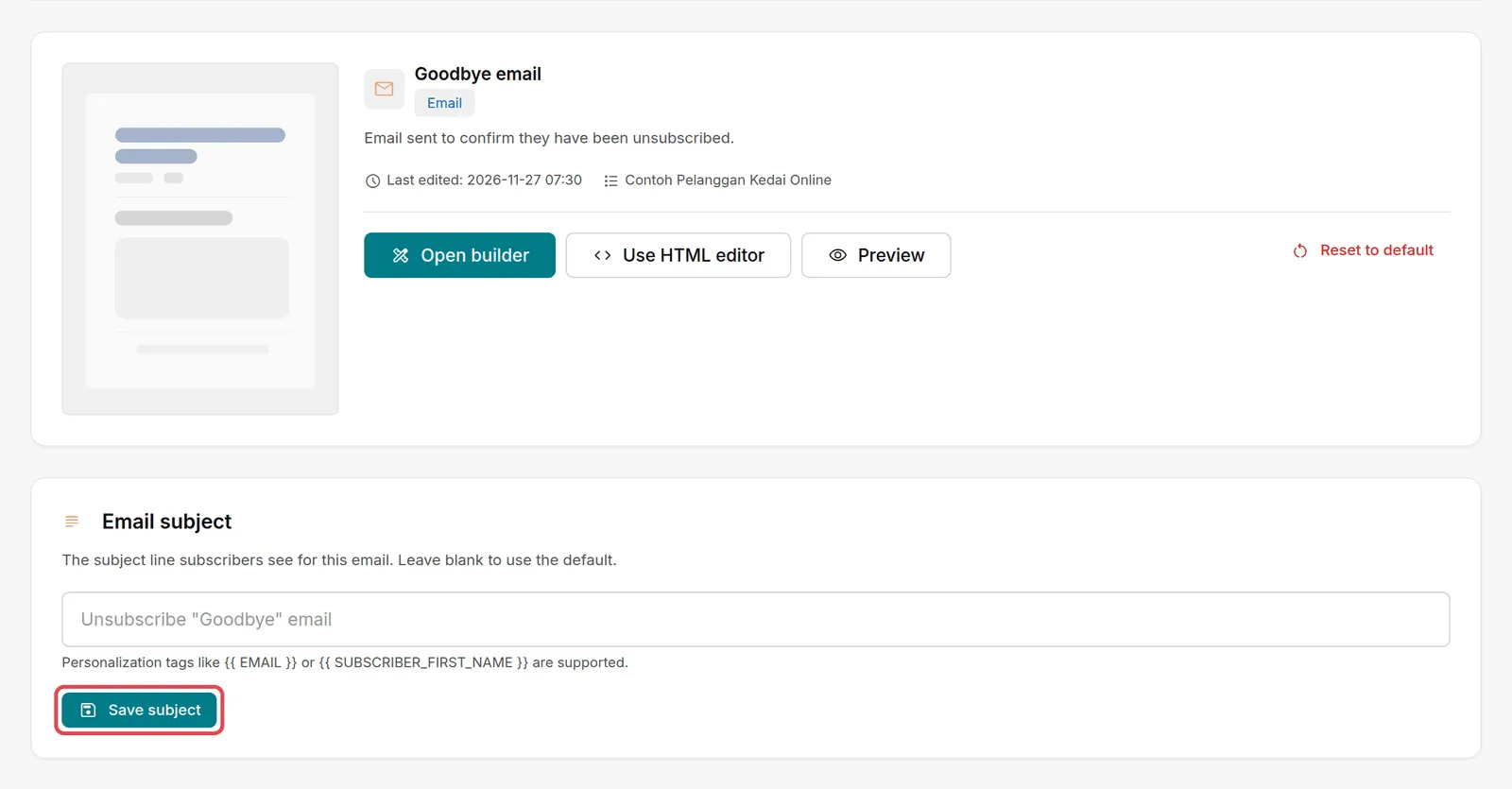
To change the content of the email, click Open builder or Use HTML editor on the same page. After you save your own HTML, the template stays in HTML mode. You cannot use the builder again until you click Reset to default.
Unsubscribe form & Success page templates
Section titled “Unsubscribe form & Success page templates”The Forms / Pages menu also has the Unsubscribe form and Success page templates in the Unsubscribe group.
Common issues
Why does a subscriber still receive email after they unsubscribed?
Check the status of that subscriber in the list that you used for the campaign. An unsubscribe applies to one list only. If the same address is in a different list, that subscriber can still receive campaigns from that list.
Can I remove the unsubscribe link from a campaign?
Do not remove the link. Mail Niaga checks each campaign in the Pre-flight checklist before it sends the campaign. If Mail Niaga makes the unsubscribe link mandatory for your plan, you cannot launch a campaign without the link. If not, the checklist shows a Review warning. Anti-spam laws make this link mandatory, and the link also decreases spam complaints. See Put an unsubscribe link in your email.
Was this article helpful?
Thanks for your feedback.
Sorry, this page did not help. Chat on Messenger and we will help you fix it.