Ask an AI about this page
 ChatGPT
 Claude
 Perplexity
 Google AI Mode
 Microsoft Copilot
 Grok
 Mistral Le Chat
Select or change your plan
Your plan sets the limits of your account, for example the number of subscribers and the email allowance. You can change to a different plan from the Subscription & Credits page in the Mail Niaga console. A plan change starts immediately. If you must pay for the new plan, the plan becomes active immediately after Mail Niaga confirms the payment.
The plan prices change from time to time. See the current prices on the plan cards in the console or at mailniaga.com/harga.
Change your plan
Section titled “Change your plan”Use these steps if you already have an active plan.
-
Click your name at the bottom of the sidebar, then click Subscription & credits.
-
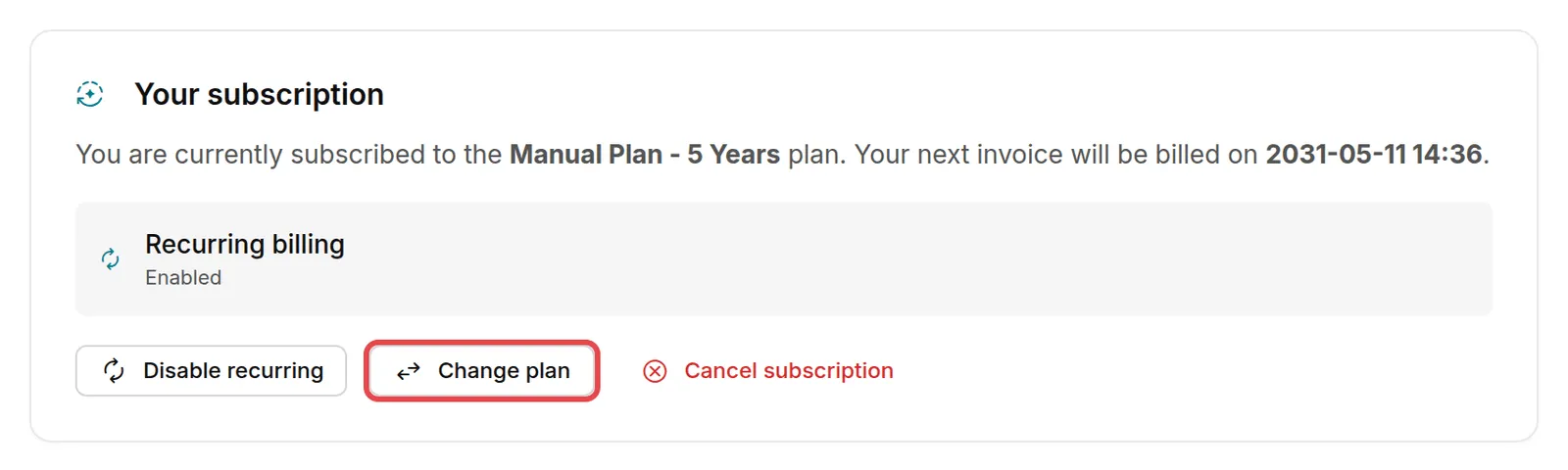
On the Your subscription card, click Change plan.
-
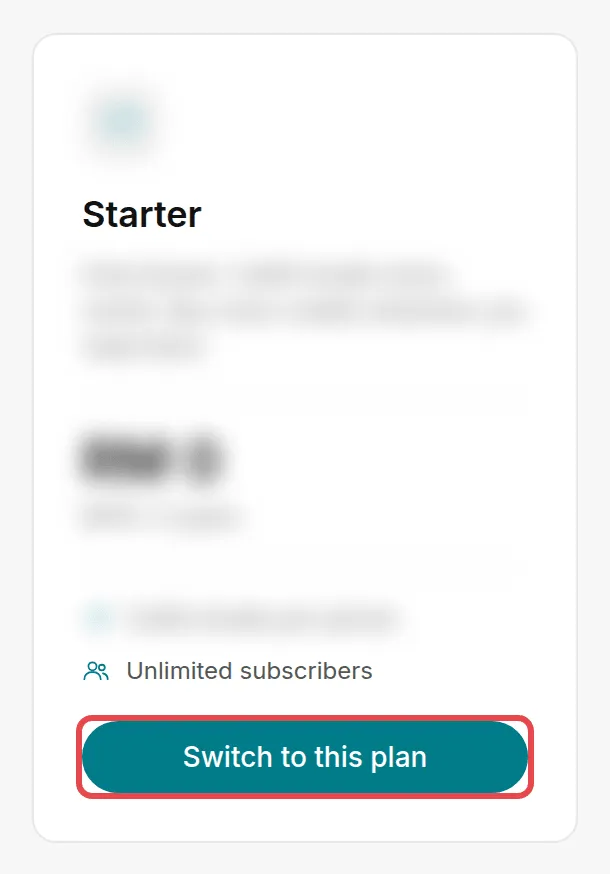
The Change Plan page shows your current plan and the other available plans. Each card shows the plan name, the price, the email allowance and the number of subscribers.
-
Click Switch to this plan on the plan that you want.
-
The console asks you to confirm the change, because the change occurs immediately. Confirm to continue.
If you must pay for the new plan, the console opens the Payment Method page for the invoice of that plan. Pay with Bayarcash as in Buy credits and pay with Bayarcash. The new plan becomes active after Mail Niaga confirms the payment.
If you do not pay immediately, the Your subscription card shows Pending plan change invoice. Click Pay Now there to continue the payment.
Why you cannot choose some plans
Section titled “Why you cannot choose some plans”On some plan cards, a grey button that you cannot click replaces the Switch to this plan button. This table explains each button:
| Button | Note on the card | Meaning |
|---|---|---|
| Current Plan | This is your current plan. | |
| Downgrade not supported | Downgrade not supported | That plan costs less than your plan. Contact the Mail Niaga team. |
| Not available | Billed in another currency | The bill for that plan is in a different currency from your current subscription. |
| Not available | Not available for this plan | You cannot choose that plan with the payment method of your current subscription. |
If you are in a free trial, a plan change stops the trial immediately. You pay the full price of the new plan, and a new billing cycle starts.
Choose a plan if you do not have a plan
Section titled “Choose a plan if you do not have a plan”The Choose a Plan page shows all the plans that you can subscribe to. The console opens this page if your account has no active plan.
- On the Choose a Plan page, compare the plan cards.
- Click the button on the plan that you want. For a free plan, the button is Get started free.
- For a paid plan, follow the payment steps. For a free plan, confirm the plan on the next page.
To go back without a plan, click Back to subscription. When you subscribe, you agree to the Terms of Service of Mail Niaga.
This advice helps you change your plan with no surprises:
- Check the limits of the new plan first. Make sure that your subscribers and lists are not more than the new limits.
- You keep the credits that you bought. A plan change does not remove the credits that you bought. See Your subscription and credits.
Common issues
Why does the button on a plan show Downgrade not supported?
That plan costs less than your current plan. The console does not let you downgrade your plan from this page. Contact the Mail Niaga team if you must change to that plan.
What happens to the credits that I bought when I change my plan?
The credits that you bought stay in your account and do not expire. Only the limits and the credit allowance of the plan change.
Where can I see the plan prices?
The price is on each plan card on the Choose a Plan and Change Plan pages, and at mailniaga.com/harga.
Was this article helpful?
Thanks for your feedback.
Sorry, this page did not help. Chat on Messenger and we will help you fix it.