Ask an AI about this page
 ChatGPT
 Claude
 Perplexity
 Google AI Mode
 Microsoft Copilot
 Grok
 Mistral Le Chat
Buy credits & pay with Bayarcash
Mail Niaga uses sending credits each time that it sends an email. When your credit balance is low, buy a credit package in the Mail Niaga console. You pay for each package one time only, and the credits that you buy do not expire.
The prices of the packages change from time to time. See the current prices in the console or at mailniaga.com/harga.
Before you start
Section titled “Before you start”Check these two items before you make a payment:
- Your account has an active plan. Look at the CURRENT PLAN card on the Subscription & credits page.
- Your billing address is correct. The invoice uses this address. See Update your billing address and invoice details.
Select a credit package
Section titled “Select a credit package”Start from the Subscription & Credits page.
-
Click your name at the bottom of the sidebar, then click Subscription & credits.
-
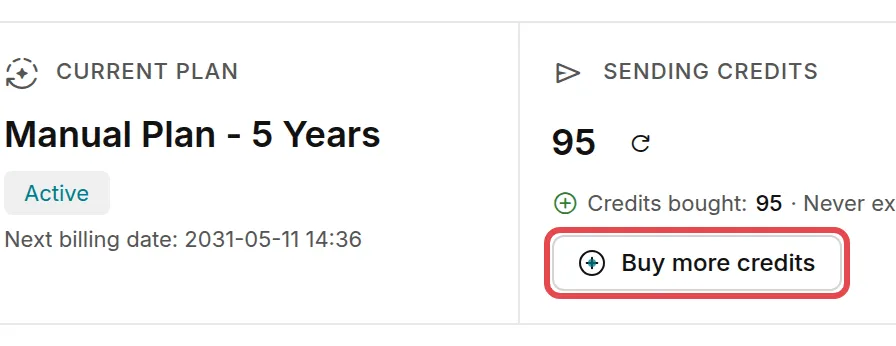
On the SENDING CREDITS card, click Buy more credits.
-
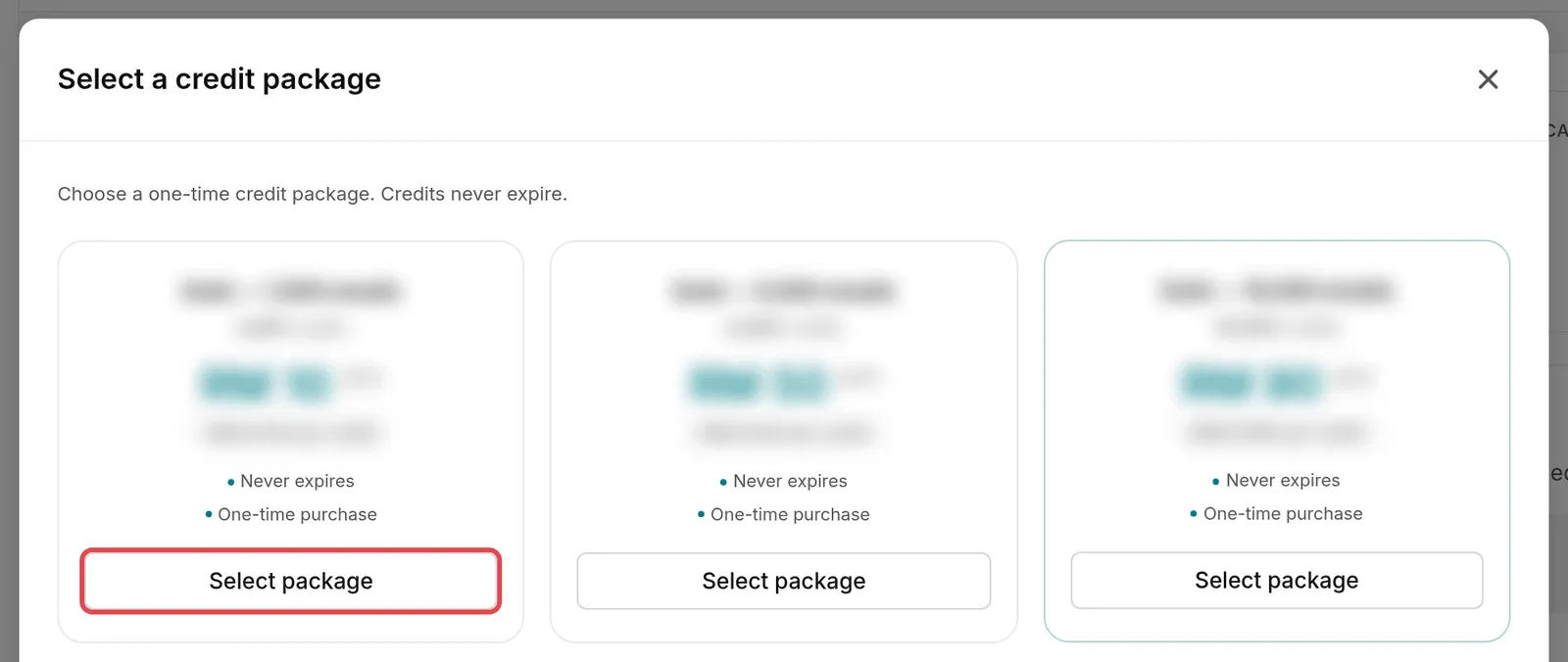
The Select a credit package popup opens. Each package shows the number of credits, the price, Never expires and One-time purchase.
-
Click Select package on the package that you want.
Fill in billing details & choose a payment method
Section titled “Fill in billing details & choose a payment method”After you choose a package, the console opens the Checkout page for the invoice of that package.
- In Billing Information, check your name, email address, phone number and address.
- If the invoice must be in the name of a company, fill in Tax invoice details: Company name, Tax ID / VAT number and Registered business address.
- Click Continue to payment.
- In Choose Payment Method, choose Bayarcash.
- If you have a discount code, type the code in Discount code, then click Apply.
- Check the Subtotal, Tax and Total.
- Click the Pay button that shows the payment amount.
Pay on the Bayarcash page
Section titled “Pay on the Bayarcash page”The console takes you to the Bayarcash page to make the payment. You can pay with:
- FPX (online banking)
- DuitNow
- e-wallet
- debit card or credit card
You can pay in Malaysian Ringgit (MYR) only. After you pay, Bayarcash takes you back to the Mail Niaga console.
After you pay
Section titled “After you pay”What you see depends on the status of the payment:
| Status | What happens |
|---|---|
| Payment successful | The console shows the message Payment successful. The credits go to the SENDING CREDITS card, and the invoice is in the Invoices tab with the status Paid. |
| Payment not confirmed yet | Mail Niaga checks the payment status with Bayarcash automatically every 5 minutes. You do not need to pay again. |
| Payment not complete in 24 hours | Mail Niaga cancels the payment automatically. Choose the package again to get a new invoice. |
To download the invoice after you pay, see Your subscription and credits.
This advice helps you buy credits with no problems:
- Buy credits before the balance is empty. A campaign stops when the credits are empty. Buy credits early before a large campaign.
- Do not pay two times for one package. If the credits are not in your account yet, wait for the automatic check first. Then contact the support team if necessary.
Common issues
What do I do if the credits are not in my account after I pay?
Wait some minutes. Mail Niaga confirms the payment when you come back from the Bayarcash page, when Bayarcash sends a confirmation, or at the automatic check every 5 minutes. Do not pay a second time. If the credits are still not there after that, contact the Mail Niaga support team with your Bayarcash receipt.
Can I buy credits without an active plan?
No. You need an active plan to buy credits. The credits that you bought before stay in your account. See Select or change your plan.
What happens if I close the Bayarcash page before I pay?
The invoice stays unpaid. Mail Niaga cancels an incomplete payment automatically after 24 hours. You can choose a package again at any time.
Was this article helpful?
Thanks for your feedback.
Sorry, this page did not help. Chat on Messenger and we will help you fix it.