Ask an AI about this page
 ChatGPT
 Claude
 Perplexity
 Google AI Mode
 Microsoft Copilot
 Grok
 Mistral Le Chat
Get & change your API token
An API token is a key that lets other systems use the Mail Niaga API for your account. Examples are Pabbly Connect, Make, Zapier or code that your developer writes. You can copy this token on the API page in the Mail Niaga console. Keep this token as safe as your password.
Find & copy your API token
Section titled “Find & copy your API token”Do these steps after you log in to the Mail Niaga console.
-
In the sidebar, click API. This item is at the bottom, below Connect AI.
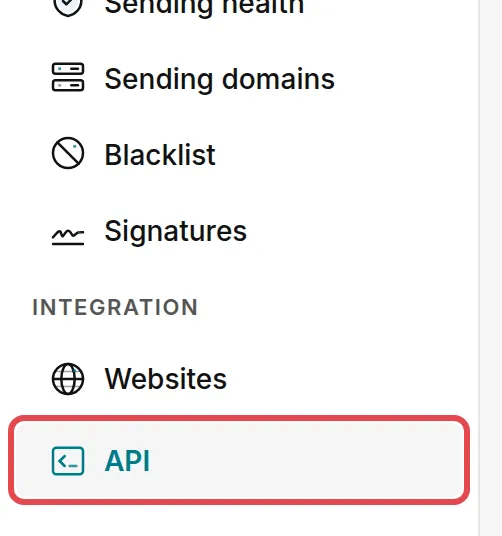
You can also open the same page from the menu with your name at the bottom of the sidebar: click Account, then API in the left menu.
-
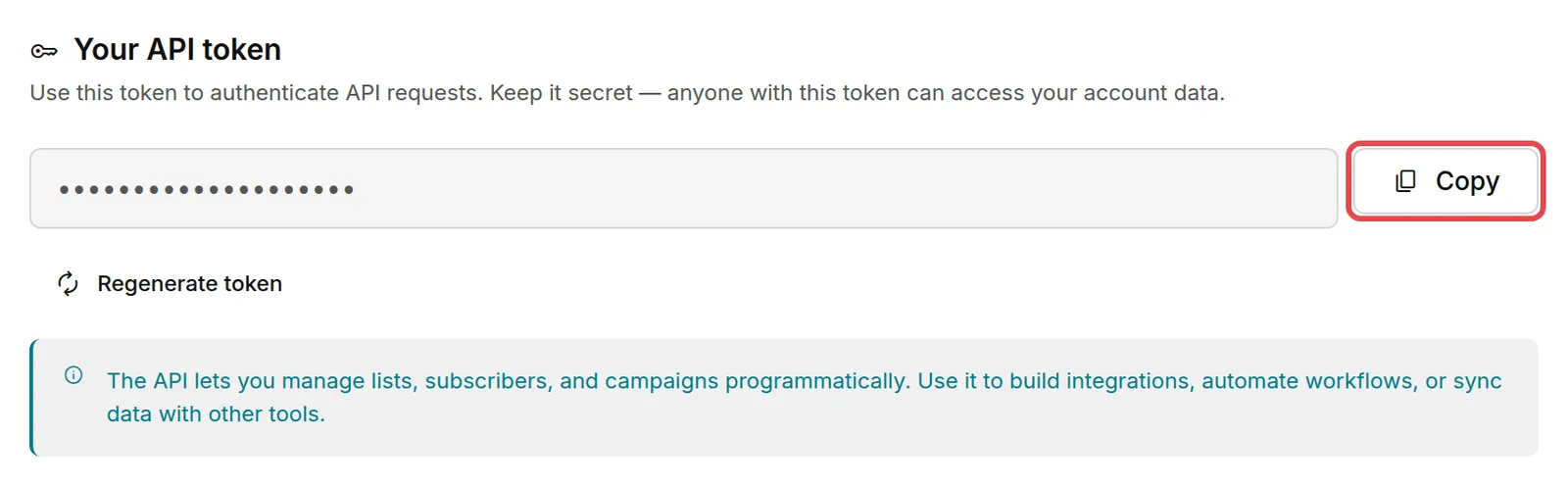
In the Your API token section, click Copy. The token goes to the clipboard.
-
Paste the token in your integration, in the field that asks for an API token or an API key.
The same page also shows the API endpoint and sample requests. For these details, see Use the Mail Niaga API.
Make a new token
Section titled “Make a new token”Make a new token if your token leaks, or if a person who had the token no longer works with you. All the integrations that use the old token will stop. Make a list of those integrations first.
-
In the sidebar, click API.
-
In the Your API token section, click Regenerate token.
-
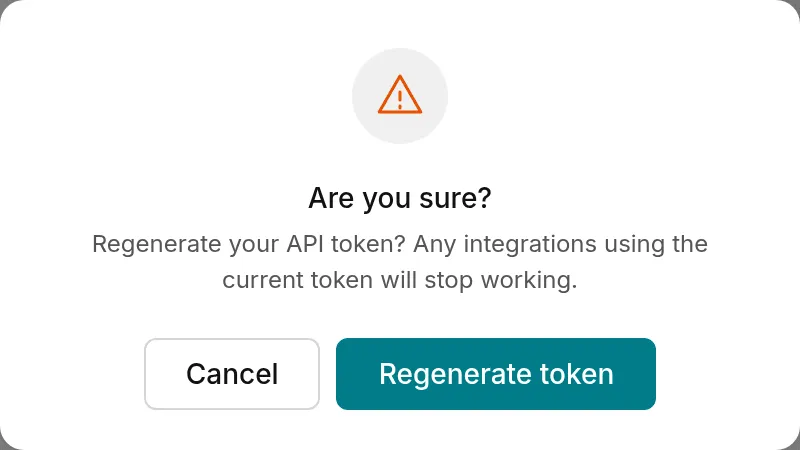
The console asks Are you sure? and warns that the integrations with the current token will stop. Click Regenerate token to continue, or Cancel to stop.
-
The console shows the message API token regenerated successfully. and loads the page again with the new token.
-
Click Copy, then update the token in each integration.
This advice helps you keep your API token safe:
- Keep a list of the integrations that use your token. When you make a new token, you know each place that you must update.
- Make a new token when a staff member who had the token leaves. The old token stays valid until you make a new token.
Common issues
Where can I find my token if the API menu is not in my sidebar?
Click your name at the bottom of the sidebar, then click Account. The Account Settings page opens. In the left menu, click API. The same page opens.
Why does my integration not work after I clicked Regenerate token?
The old token is not valid after you make a new token. Copy the new token from the Your API token section, then paste it in each integration that used the old token, for example Pabbly Connect, Make or Zapier.
Do the members of my team use the same API token?
No. Each user has their own API token. The token that you see on the API page is the token for your login.
Was this article helpful?
Thanks for your feedback.
Sorry, this page did not help. Chat on Messenger and we will help you fix it.